Turn live queue data into faster decisions
Fullon Pulse gives Amazon Connect Customer users a real-time view of voice and chat queues, with configurable alerts, across TV displays, browsers, and a mobile app for iOS and Android.
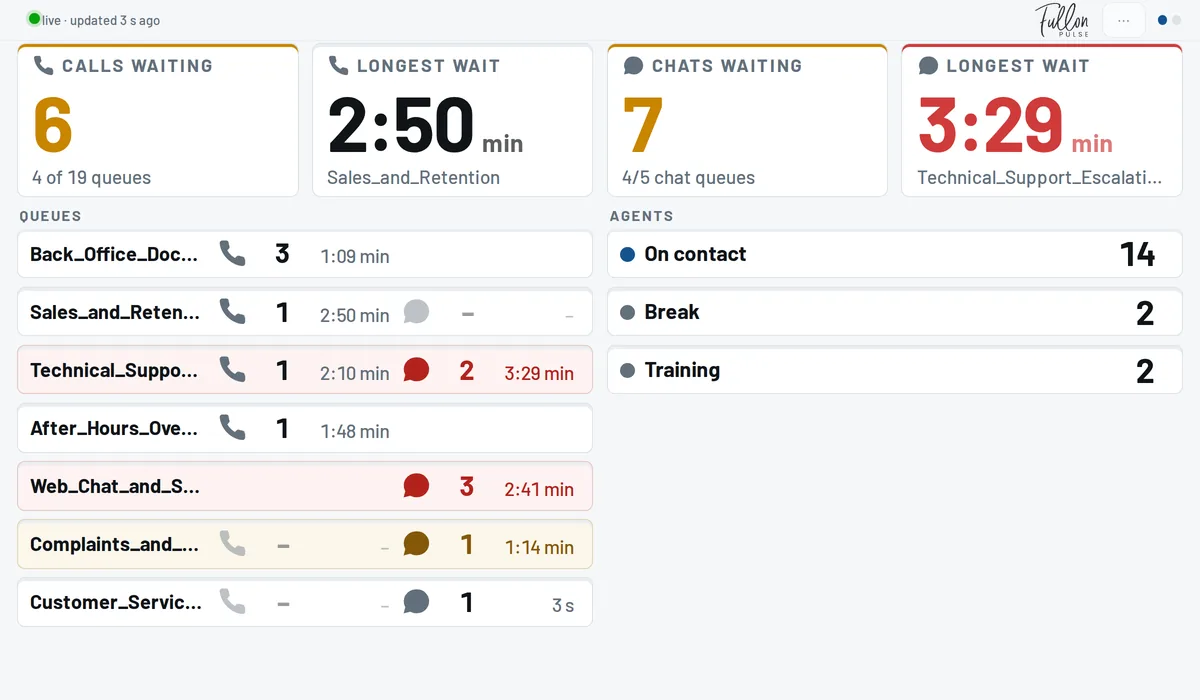

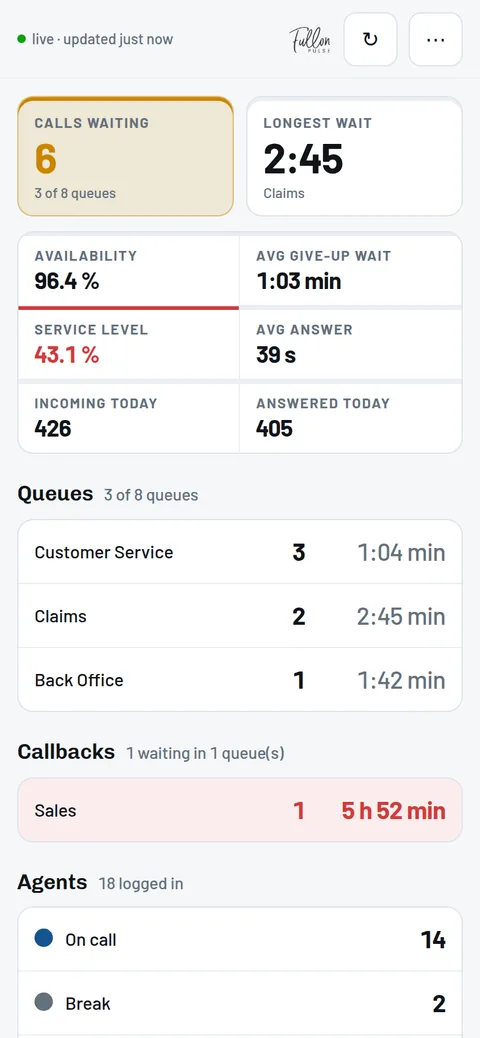
See queue demand, waiting times, service levels and agent availability for both channels, with voice callbacks shown separately.
- Voice and chat, refreshed every 10 seconds
- Alerts based on your thresholds
- Read-only AWS setup in about 15 minutes
See problems earlier and respond with confidence.
Respond before service levels suffer
See queues building and waiting times increasing while there is still time to adjust coverage.
Make faster staffing decisions
View demand and available agents together, without moving between different reports and dashboards.
Give the team a shared operational picture
Keep important queue conditions visible to the entire contact center team throughout the working day.
Stay informed away from the screen
Notify supervisors through mobile devices and browsers when configured thresholds are crossed.
Turn Amazon Connect Customer data into an operational view for the whole team.
Amazon Connect Customer provides the operational data. Fullon Pulse makes that data easier for teams to see and act on throughout the day.
- A dedicated TV wallboard that keeps queue conditions visible to the whole team
- Browser and mobile alerts when thresholds are crossed
- Mobile access for supervisors away from their desks
Fullon Pulse works alongside Amazon Connect Customer — it does not replace its reporting and analytics.
Four ways Fullon Pulse supports supervisors.
Live queue overview
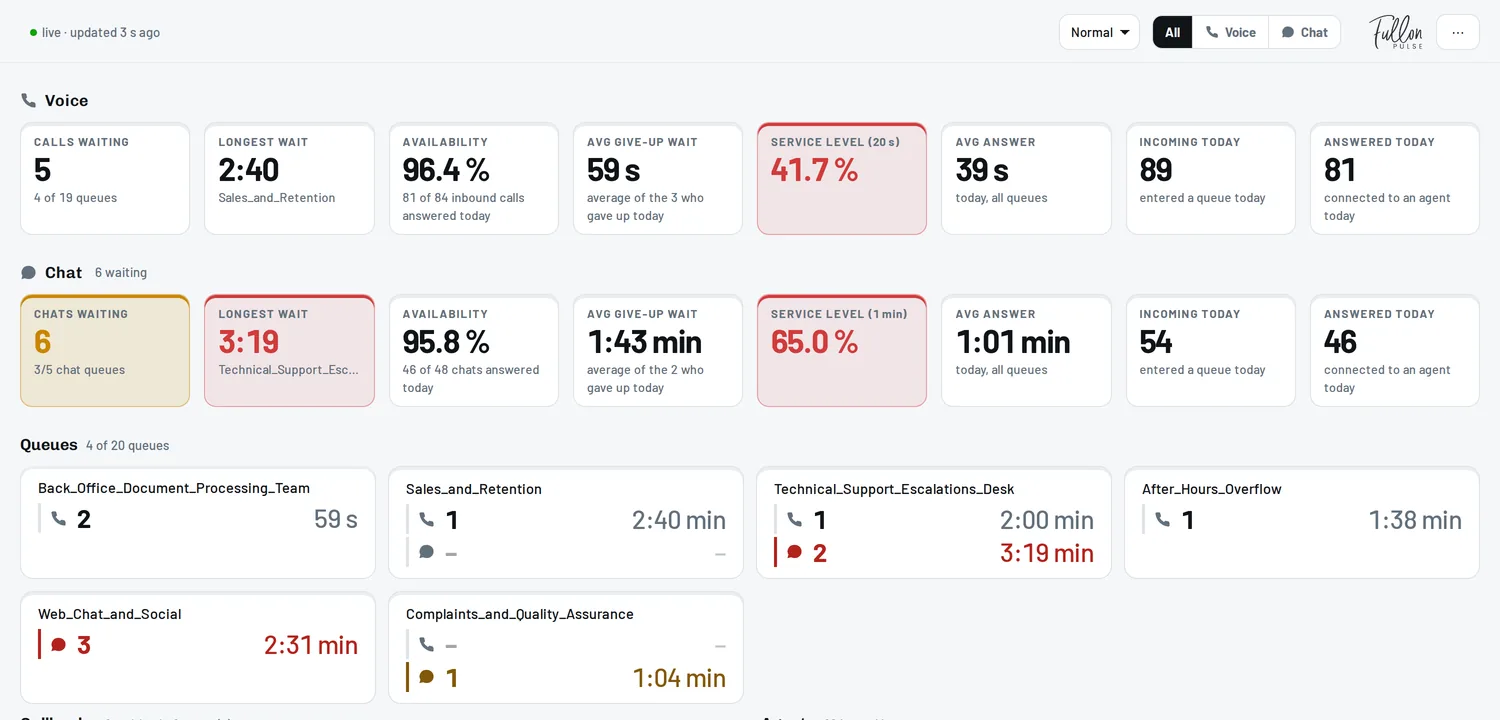
See voice and chat queues side by side, with contacts waiting, longest wait, service levels, agent availability and the day’s totals. View each queue or one summary across the operation; callbacks apply to voice only. Refreshed every 10 seconds.
Configurable thresholds
Amber and red limits per metric, set to the tolerances of each service, so a queue that is drifting looks different from one that is fine.
Browser and mobile alerts
Set alert rules for individual metrics and notify the right people when a configured threshold is crossed, with quiet hours to match your operating schedule.
Team-specific access
User groups decide which queues and routing profiles each person sees, applied before any figure reaches their device.
The operational metrics your supervisors need in one place.
- Contacts in queue
- Longest waiting time
- Agent availability
- Callbacks waiting
- Service level
- Average speed of answer
- Average time to abandon
- Daily totals
Queue metrics are shown separately for voice and chat, with an individual service level target for each channel. Callbacks apply to voice only.
The board refreshes every 10 seconds using the latest data available from Amazon Connect Customer.
Keep your contact center visible wherever work happens.
Large TV displays
Give the entire contact center floor a shared, continuously visible view of current conditions across both channels. Choose the headline figures and what rotates behind them, sized to be read from across the room.
Desktop browsers
Let supervisors monitor the queues relevant to their roles, with voice and chat shown together or filtered by channel.
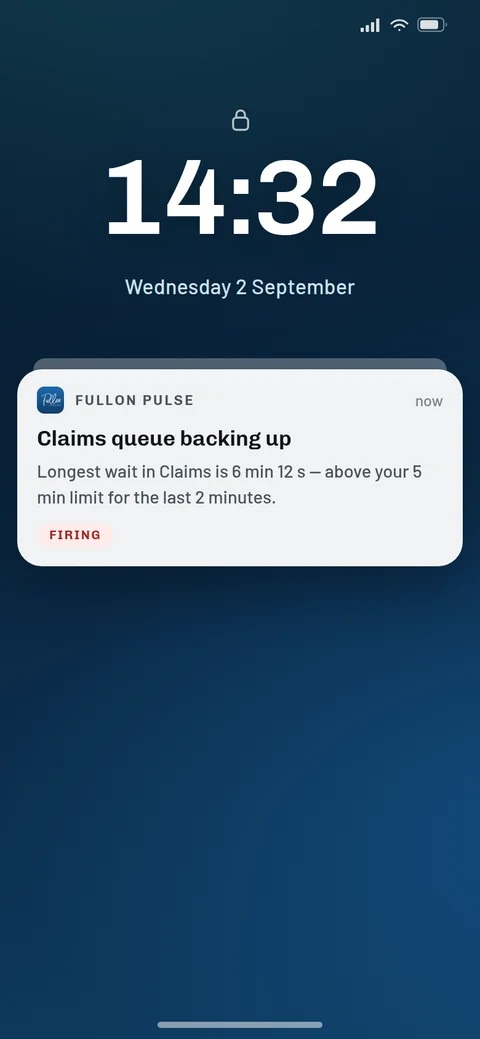
iOS and Android applications
Receive an alert on a locked phone and open the live board with one tap. Available for iOS and Android.
Give each team the right view
User groups control which queues and routing profiles each person can see. Access restrictions are applied before figures are sent to their device.
Connect securely in about 15 minutes.
A guided setup connects Fullon Pulse to your Amazon Connect Customer instance through a read-only AWS IAM role. Nothing is installed in your AWS account.
- Read-only AWS IAM role
- No AWS access keys or tokens shared
- No software installed in your AWS account
- Connection can be revoked from your AWS account
- Permissions and trust policy available for technical review
- EU hosting
- Single sign-on and access groups
- Administrative audit trail
Create the read-only role
Follow the setup guide to create an IAM role in your AWS account. The permissions and trust policy documents are provided for your technical team to review.
Enter your connection details
Add the role ARN, Amazon Connect Customer instance ID and AWS region. You do not need to share access keys or tokens.
Verify and configure
Verify the connection, select the queues your teams should see, and configure thresholds and access groups.
Simple pricing: €25 per user, per month.
Sold in packages of 10. A team of 10 users costs €250 per month. Prices exclude VAT and agreements have a 12-month term.
A user license is required only for supervisors, team leaders, managers, and others who need access to Fullon Pulse — not for every Amazon Connect user. Each wallboard displayed on a shared or public screen, such as a TV, also requires one user license.
One price. Every feature included.
Book a 15-minute demoEvery account includes:
- Live wallboard metrics
- Configurable thresholds
- Browser and mobile alerts
- Wall display, browser, iOS and Android access
- Single sign-on and team access groups
- Administrative audit trail
- EU hosting
- Support from the team building Fullon Pulse
No feature tiers or additional per-feature charges.
 Fullon Pulse subscriptions are also available in
AWS Marketplace, so the licences can be bought through your existing AWS
account and billed together with the rest of your AWS spend.
Fullon Pulse subscriptions are also available in
AWS Marketplace, so the licences can be bought through your existing AWS
account and billed together with the rest of your AWS spend.
Built by Amazon Connect Customer specialists.

Fullon Pulse is built and operated by Fullon Advisors, a digital transformation advisory specializing in Amazon Connect Customer and Salesforce. We are an Amazon Connect Customer Service Delivery Partner.
The product reflects experience from tens of contact center projects, and focuses on the operational information supervisors and teams need throughout the working day.
Common questions about Fullon Pulse.
Why use Fullon Pulse if we already use Amazon Connect Customer, and does it replace its reporting?
It does not replace anything. Amazon Connect Customer provides extensive reporting and analytics, and continues to. Fullon Pulse adds the operational half: a dedicated TV wallboard, configurable thresholds, browser and mobile alerts, and mobile access for supervisors — a focused view designed to stay visible throughout the working day.
Does Fullon Pulse support Amazon Connect Customer chat?
Yes. Fullon Pulse displays voice and chat queues side by side on TV wallboards and in desktop browsers. You can view both channels together or filter to one, with separate metrics and service level targets for each. Callbacks are voice only; task and email queues are not currently supported. Chat is enabled for your instance during setup.
The iOS and Android applications currently display voice metrics only.
How quickly can we get started?
The AWS connection can usually be configured in about 15 minutes. You can then select queues, configure thresholds and control what each team can see.
In 30 minutes you can have a wallboard running and ready for the users.
What AWS access does Fullon Pulse require, and is anything installed?
A read-only AWS IAM role, with access limited to the relevant information from your Amazon Connect Customer instance. You do not need to provide AWS access keys or tokens. No software is installed in your AWS account, and the connection can be revoked from your own account at any time.
What information does Fullon Pulse retrieve?
Fullon Pulse retrieves only the queue and agent metrics needed to operate its wallboards and alerts. It does not retrieve recordings, call or chat transcripts, message content, or customer records.
How current is the information?
The wallboard refreshes every 10 seconds. Individual metrics reflect the latest information available from Amazon Connect Customer.
Can different teams see different queues?
Yes. User groups control which queues and routing profiles each person can see. These access restrictions are applied before information is sent to the user’s device.
Can supervisors receive alerts?
Yes. Supervisors can receive browser and mobile alerts when configured thresholds are crossed for supported voice and chat metrics. Quiet hours control when notifications are sent.
Can we display Fullon Pulse on a TV, and where else can we use it?
Yes. Large screens have a dedicated wall layout: a headline row of four figures you choose, and below it one or two pages that rotate on a timer, each split into two halves. Long queue and agent lists turn through eight rows at a time. You edit the layout on the screen itself while it keeps showing live data, a layout can travel in the link that opens a kiosk, and display settings can be locked against accidental changes. Fullon Pulse is also used in desktop web browsers and through the iOS and Android applications.
Where is Fullon Pulse hosted?
In the EU, on AWS. Installation in a specific region is possible on request.
What does it cost, and is there a minimum number of users?
Licenses cost €25 per user, per month, excluding VAT, and are sold in packages of 10 users — so a team of ten costs €250 per month. Agreements have a 12-month term. One price: every product feature is included — wallboards, thresholds, alerts, mobile applications, single sign-on, access groups and the administrative audit trail — with no feature tiers and no per-feature charges.
A license is needed only for the people who use Fullon Pulse — supervisors, team leaders, managers and anyone else who needs access — not for every Amazon Connect user. Each wallboard shown on a shared or public screen, such as a TV, uses one license of its own.
What happens during the demo?
The 15-minute demo covers the live wallboard, metrics, thresholds, alerts and the setup process. It uses a demonstration environment, so no AWS access is required.
Book your 15-minute demo.
See the live wallboard, alerts and setup process. We use a demonstration environment, so no AWS access is required.
- About 15 minutes
- No commitment
- Pick a time that suits you
Contact us.
Pricing, a specific setup, a question about your Amazon Connect Customer instance — write to us and we will answer within one working day.
Already using Fullon Pulse? Log in to your board.
Thank you — your message has been received.
We usually respond within one working day.