How to Set Useful Alerts for Amazon Connect Queues
Useful Amazon Connect queue alerts identify a condition that someone can investigate or act on. Each alert needs a relevant metric, a meaningful threshold, and an owner who understands the expected response.
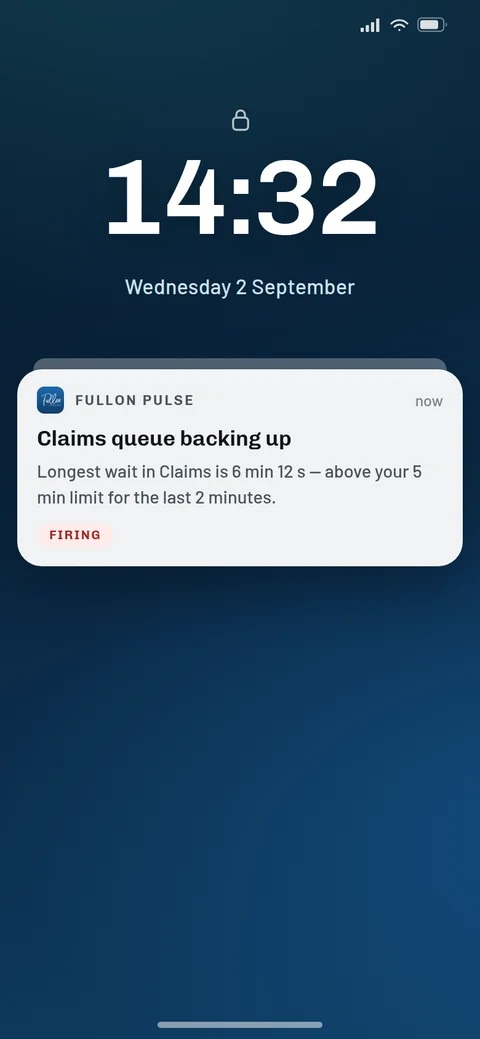
Choosing an arbitrary number is easy. Choosing a threshold that earns attention during a busy shift requires context.
Start with a small set of alerts linked to real operational decisions, then review whether they are helping the team.
Define the condition before selecting the threshold
Describe the problem you want to detect in plain language. Examples include an unusually long wait in a priority queue, a workload increase that needs supervision, or a service measure moving outside an agreed operating range.
Then identify which supported metric best represents that condition. An alert should be understandable without asking the recipient to reconstruct why it was created.
If the team cannot explain what it would check after receiving the alert, refine the condition before enabling it.
Base thresholds on the queue's operating context
Consider the queue's service commitment, normal demand, team size, and expected response options. A threshold that is useful for one service line may generate unnecessary interruptions for another.
Use an initial observation period to understand normal behavior. Review busy periods as well as quiet ones, and include the people who supervise the work in the decision.
For example, a priority support queue may need attention at a waiting level that would be ordinary for a general enquiry queue. That does not automatically make either queue healthier; their expectations differ.
Assign ownership before turning the alert on
Document who responds during each operating period and who provides cover during absence or handover.
The response can be a short sequence: confirm the affected queue, inspect the current view, check the likely cause, and coordinate the next action. State when the owner should escalate rather than continue investigating alone.
Do not equate an alert with an automatic staffing or routing change. It is a prompt for the responsible person to assess the situation.
Our real-time queue monitoring guide provides a response routine you can adapt.
Reduce unnecessary interruptions
When an alert is repeatedly ignored, investigate why. The threshold may be too sensitive, the recipient may not own the queue, or the team may have no practical response available.
Start by correcting relevance and ownership. Where your chosen alerting tool supports features such as duration rules or notification schedules, evaluate them against your operating needs. Verify those capabilities with the supplier before including them in your process.
Also review service-level alerts carefully. A measure calculated across a reporting period may remain outside target after the immediate queue pressure has eased. Explain the expected behavior to recipients so that an unresolved period result is not confused with a continuing live incident.
Test the whole response, not just the threshold
Use an approved test or an observed operational event to check that the intended person notices the condition and knows what to do.
Afterwards, ask whether the alert arrived with enough context, whether ownership was clear, and whether the action was useful. Adjust the process based on those answers.
Avoid claiming success simply because the alert fired. Its value lies in helping the team handle a situation appropriately.
Use Fullon Pulse for threshold-based awareness
Fullon Pulse supports configurable alerts when selected metric thresholds are exceeded. Combined with its browser, wall display, and mobile views, those alerts can support the team's monitoring routine.
Confirm the available metrics and delivery behavior during configuration, and connect each chosen alert with a documented response.
Explore Fullon Pulse and discuss which queue conditions your team needs to notice sooner.