How to Monitor Amazon Connect Queues in Real Time
Amazon Connect queue monitoring works best as a repeatable routine: check the queues you own, look for changes in demand and available capacity, investigate exceptions, and confirm whether your response helped.
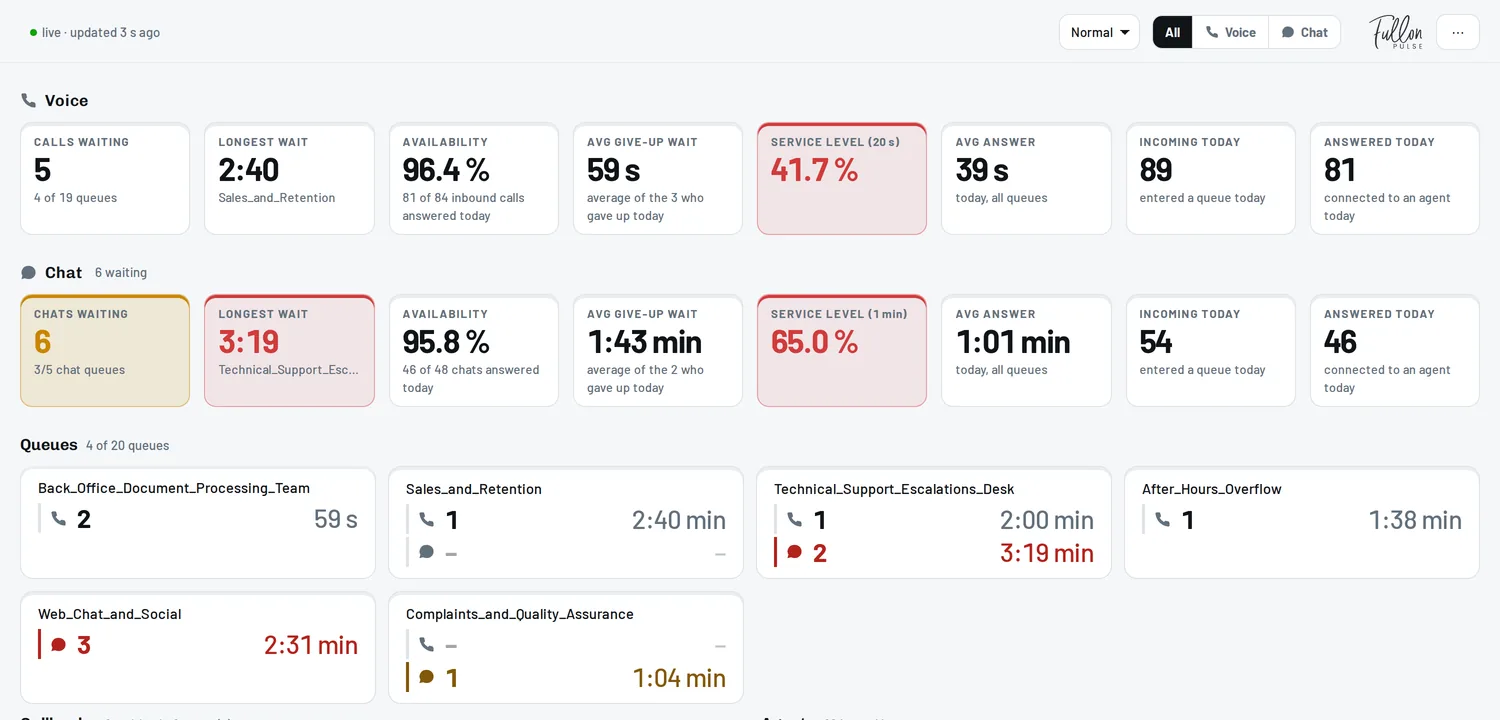
A live view supplies the information. The routine turns that information into decisions.
For supervisors managing several service lines, the challenge is deciding which change deserves attention first. A consistent approach reduces the need to scan every number with equal urgency.
Define the scope of your monitoring
List the queues for which your team is responsible, the channels they serve, their operating hours, and the person who owns the response during each shift.
Separate queues with different customer commitments. A specialist support line and a general enquiry queue may require different responses even when the number of waiting customers is similar.
Decide how callbacks fit into the routine as well. They represent work your team still needs to complete, so they should have an explicit owner rather than disappearing from the operational conversation.
Establish a baseline before calling something unusual
Observe how the queues behave during normal trading periods. What does the opening hour look like? When do handovers happen? Which service lines regularly receive short bursts of demand?
Use that context when reviewing the live view. A brief increase that the team routinely clears may need observation. A smaller queue that continues to grow without suitable capacity may need investigation.
This is also why a single universal alert threshold is rarely a good starting point. Our guide to queue alerts covers how to choose thresholds around local conditions.
Check demand, waiting, and capacity together
Begin with the customer-facing picture: where is work waiting, and is the wait becoming more concerning? Then examine whether the team can respond.
Do not jump directly from a large waiting count to a staffing decision. Ask whether the issue is temporary, confined to one queue, or affecting several channels. Confirm that any proposed support can actually handle the affected work.
Keep the initial investigation short and focused. The purpose is to identify the most plausible next check, not to explain the entire day's performance from one screen.
Use a simple escalation sequence
A practical sequence is:
- Identify the affected queue and channel.
- Confirm that the information is current and the right view is selected.
- Check the available response options with the responsible team.
- Take an authorized action or escalate to the person who can.
- Recheck conditions after a suitable interval.
For example, if waiting increases after a shift handover, first confirm that the expected team is ready to take work. If staffing appears correct but the problem remains isolated to one queue, involve the Amazon Connect administrator to investigate configuration or routing.
Make the handover part of monitoring
At shift change, share the queues under observation, any active problems, and who owns the next check. A short note explaining what was tried is more useful than a screenshot without context.
Review repeated incidents separately from the live response. Recurring pressure may require planning or process changes that cannot be resolved by watching the queue more frequently.
Monitor Amazon Connect queues with Fullon Pulse
Fullon Pulse displays voice and chat queues in a shared operational view, with access through wall displays, browsers, and iOS and Android apps. Supervisors can follow the queues relevant to their responsibilities and use configurable alerts to highlight selected exceptions.
To choose a layout for the office, see our Amazon Connect wallboard guide. To explore the service itself, visit Fullon Pulse.